
From Friction to Flow: Turning a Difficult Product Into an Intuitive Experience
An established software company came to Envion with a product that was technically strong but increasingly difficult to use. New functionality had been added whenever the business needed it, but the interface had never been reconsidered as a complete user journey — the software worked, but using it felt like work. Envion audited the complete workflow: information architecture, navigation, user journeys, conversion points, forms, onboarding, dashboards, error and empty states, accessibility, mobile behavior, consistency, interaction patterns, and analytics drop-off points. Every issue was classified by severity, user impact, business impact and implementation effort — giving the client a prioritized roadmap rather than a list of subjective design recommendations. The redesign removed no functionality; it made existing functionality easier to discover and complete, and connected design decisions to user behavior and business outcomes.
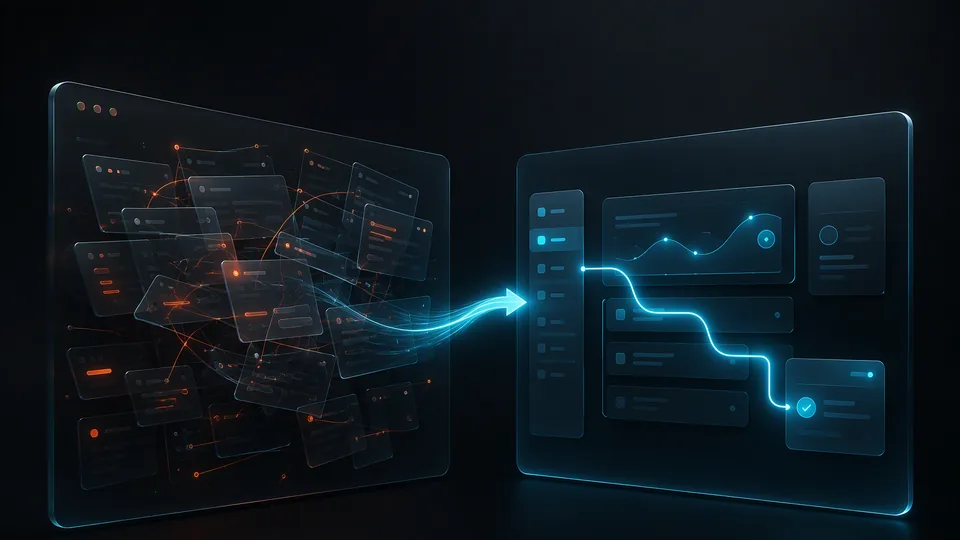
The challenge
The platform had grown over several years. New functionality had been added whenever the business needed it, but the interface had never been reconsidered as a complete user journey. The result was a familiar problem: the software worked, but using it felt like work.
The initial UI/UX audit revealed several problems. Important actions were hidden behind multiple screens. Navigation reflected the internal structure of the software rather than the user's mental model. Similar actions behaved differently in different areas of the platform. Screens contained too much information without a clear visual hierarchy. Forms asked for information before users understood why it was required. Primary and secondary actions looked almost identical. Mobile and tablet experiences had evolved separately from desktop. New users required significant onboarding and support.
Analytics supported what we were seeing during the heuristic review. Users were reaching critical screens but not always completing the intended workflow. The problem was not the functionality. The problem was the experience around it.
Decision path
Instead of starting by changing colors, fonts, or buttons, Envion examined the complete workflow: information architecture, navigation, primary user journeys, conversion points, forms, onboarding, dashboards, error states, empty states, accessibility, mobile behavior, UI consistency, interaction patterns, and analytics with drop-off points.
Every issue was classified by severity, user impact, business impact, and implementation effort. This gave the client a prioritized roadmap rather than a long list of subjective design recommendations.
The redesign followed the same principle: reduce the number of decisions users have to make at every step. Navigation was simplified, related actions grouped, a clear visual hierarchy introduced, unnecessary fields removed, components standardized, and frequently used actions moved closer to the point where users needed them. Complex workflows were broken into understandable stages. Instead of showing everything the system could do, the interface focused on what the user needed to do next.
Envion contribution
Before: users had to understand the software before they could use it. After: the software guides users through the workflow.
Before: features determined the interface. After: user tasks determine the interface.
Before: multiple competing buttons and actions. After: clear primary actions and contextual secondary actions.
Before: training compensated for usability problems. After: the product itself became part of the onboarding process.
Delivery
The redesign did not remove functionality. It made the existing functionality easier to discover and easier to complete.
The client gained shorter user journeys, clearer conversion paths, fewer unnecessary interactions, reduced cognitive load, a reusable UI component system, stronger consistency across the product, and a prioritized backlog for future improvements.
Outcome and evidence
Most importantly, design decisions were no longer based on whether something "looked better." They were connected to user behavior and business outcomes.
The Envion approach: a UI/UX redesign should not begin with a new visual style. It should begin with a question — where is the existing experience making users work harder than necessary? Our audits identify those moments first. Then we redesign around evidence rather than aesthetics alone.
From the engagement lead
What I’d tell anyone considering this

“AI can generate a landing page in seconds, and twenty interface concepts before a designer has finished making coffee. But generating an interface and designing a product are not the same thing. AI answers "what could this screen look like?" — it does not answer "what should this product experience be?"
A designer's job is to interpret incomplete information: who is actually using this, what are they trying to achieve, what are they afraid of doing incorrectly, what should they never have to think about. These questions rarely have perfect answers inside a prompt. They require judgment.
We use AI throughout the design process — it gives designers a much larger creative surface to explore. But the designer still decides what deserves to survive. The future is not human designer versus AI. It is human judgment plus AI speed — and when those two combine correctly, the result is not simply a prettier interface. It is a better product.”
Evidence gate. This page publishes only what Envion's project records and client disclosure permissions support. Outcomes are added once verified against a baseline, a measurement period, and an approved source.
FAQ
Questions about this case
Facing a similar challenge?
Software that works, but feels like work? Envion’s UI/UX audit finds where users are working harder than necessary — and turns it into a prioritized redesign roadmap.
Discuss a Similar ChallengeKeep exploring
Similar case studies


Executive Technology Leadership
Support for high-stakes product and AI decisions
Bring senior technology leadership into the business when the roadmap is unclear, delivery is at risk, an AI initiative needs stronger ownership, or the company needs an experienced technical voice before hiring a permanent CTO.
Discuss Interim CTO SupportCore responsibilities
- Align product and technology priorities with business goals and measurable outcomes.
- Review architecture, delivery risks, data foundations, security needs, and AI readiness.
- Lead internal teams and external partners through a practical execution plan.
- Clarify team structure, ownership, decision rights, and delivery cadence.
- Support investor, board, partner, and due-diligence conversations with credible technical judgment.
New experience
Prompt-to-Page — try it right here
Describe the landing page you want, in your own words. We turn it into a finished page and email you a private link in 5–10 minutes — no briefs, no calls, $0 to see the result.
- Describe what you want to create.
- We structure, write, and compose the page.
- You receive a private link when it is ready.
Start with a sentence — the interactive builder takes it from there.
Generate My PageSafe, respectful content only. No obligation.